Hooli Klip
Hooli Klip is clipboard history for the Mac. Menu bar, last copies, filter, Control-Option-V. No account.
Hooli Klip is clipboard history for the Mac. It lives in the menu bar. Copy something, copy something else, then get the first one back with Control-Option-V.
Apple silicon Intel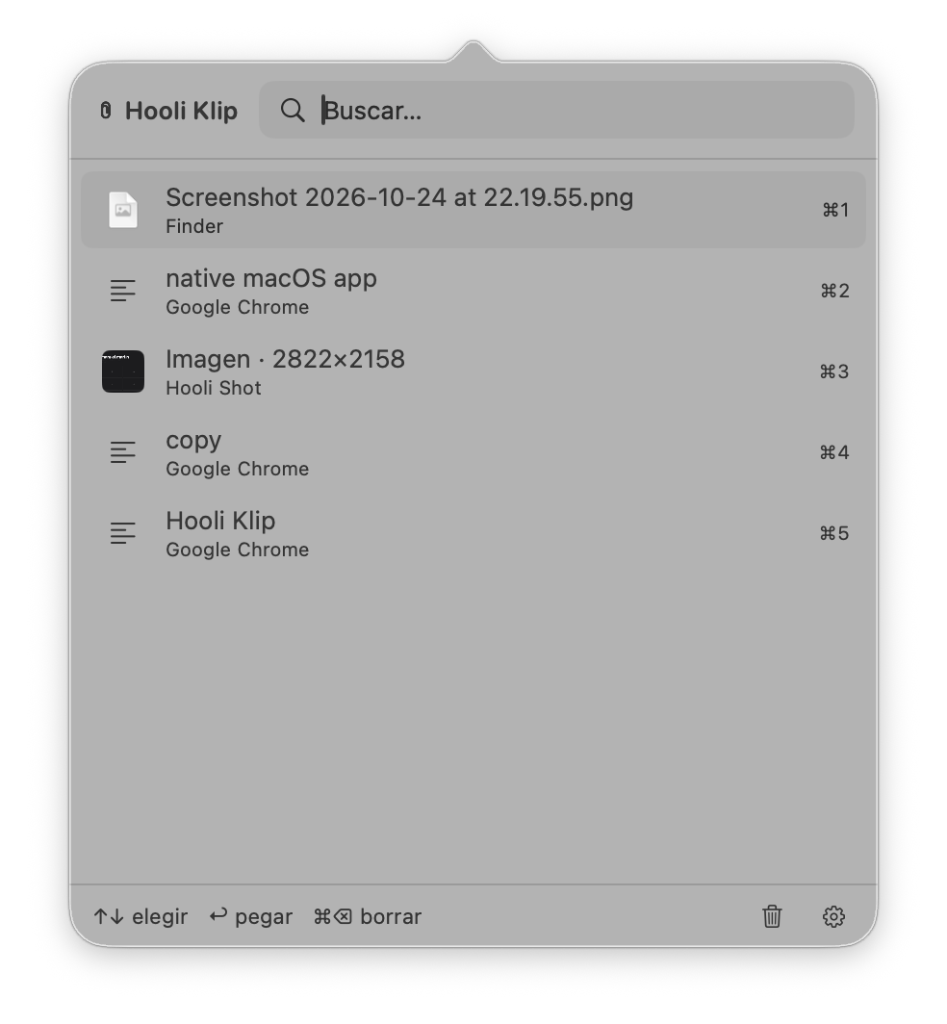
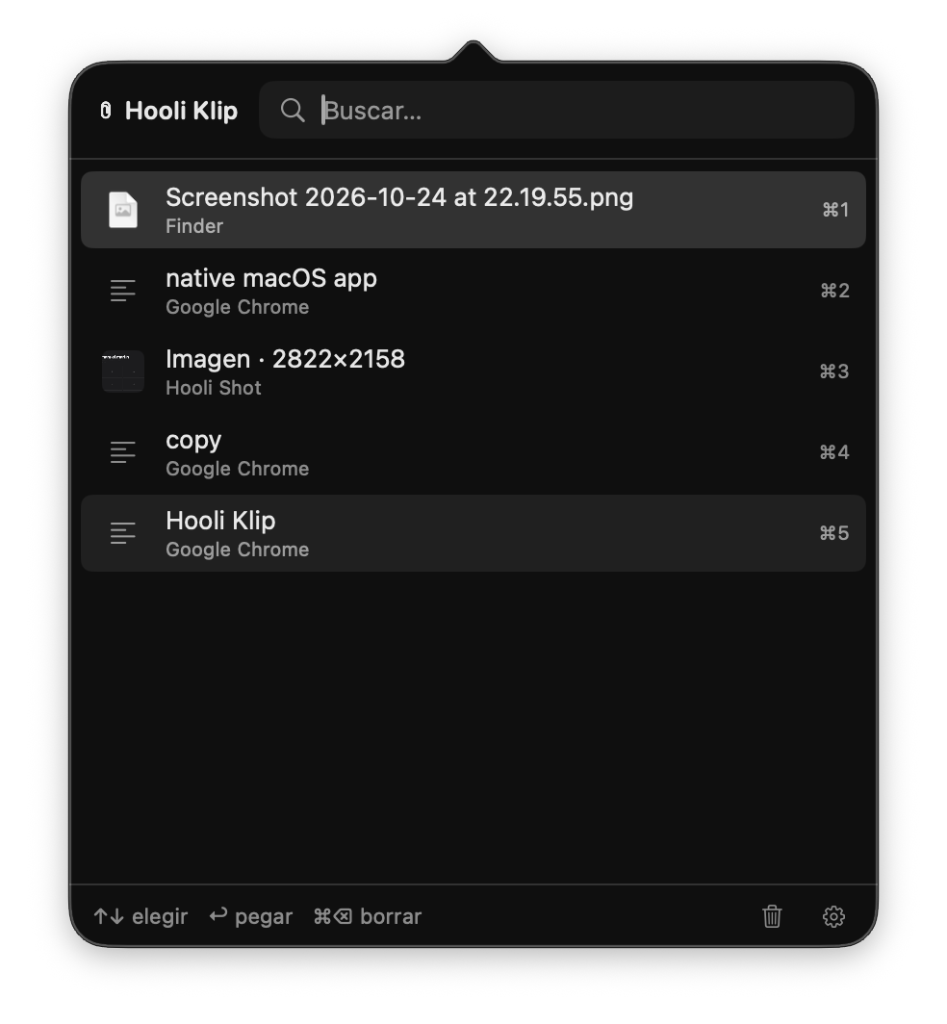 The palette. Control-Option-V from the menu bar.
The problem
Command-C overwrites. The line you needed is gone. Most clipboard apps want an account, iCloud, or a window that never leaves the screen.
You wanted the last few copies, a filter, and a shortcut. Then it should get out of the way.
The approach
A native macOS app. SwiftUI in the menu bar. History stays in
~/Library/Application Support. No account. Capture can pause from Preferences.
Return copies and pastes. That paste needs Accessibility. The permission window appears on launch if it is missing. The interface is in Spanish.
Control-Option-V Opens the history. Change the shortcut in Preferences. Right click the menu bar icon to quit. Filter Type to search. Arrow keys move. Return pastes. Command-1 to Command-5 pick the first five. Kinds Text, images, files, and hex colors. Hover a clip's icon for a preview. macOS 15+ Apple silicon and Intel. A DMG for each. Drag it to Applications.Hooli
The name is from Silicon Valley. Hooli was the company that shipped a platform for everything. These are small tools under that joke.
Hooli Shot Capture and record on the desktop. Annotate, blur, pin an image to a corner. Not a public product. Hooli Chat Video rooms for private use. Not a public product. Hooli left A VS Code command that closes tabs to the left. Marketplace.